Trading UI's for Beginners
2026-01-11 · Trading UI · 10 min read
#trading #frontend #react #nextjs #realtime #websockets #performance #ux #systems
Trading UIs look like dashboards, but they behave like real-time systems. The hard part isn't drawing tables and charts—it's keeping the UI correct and responsive while thousands of updates arrive per minute.
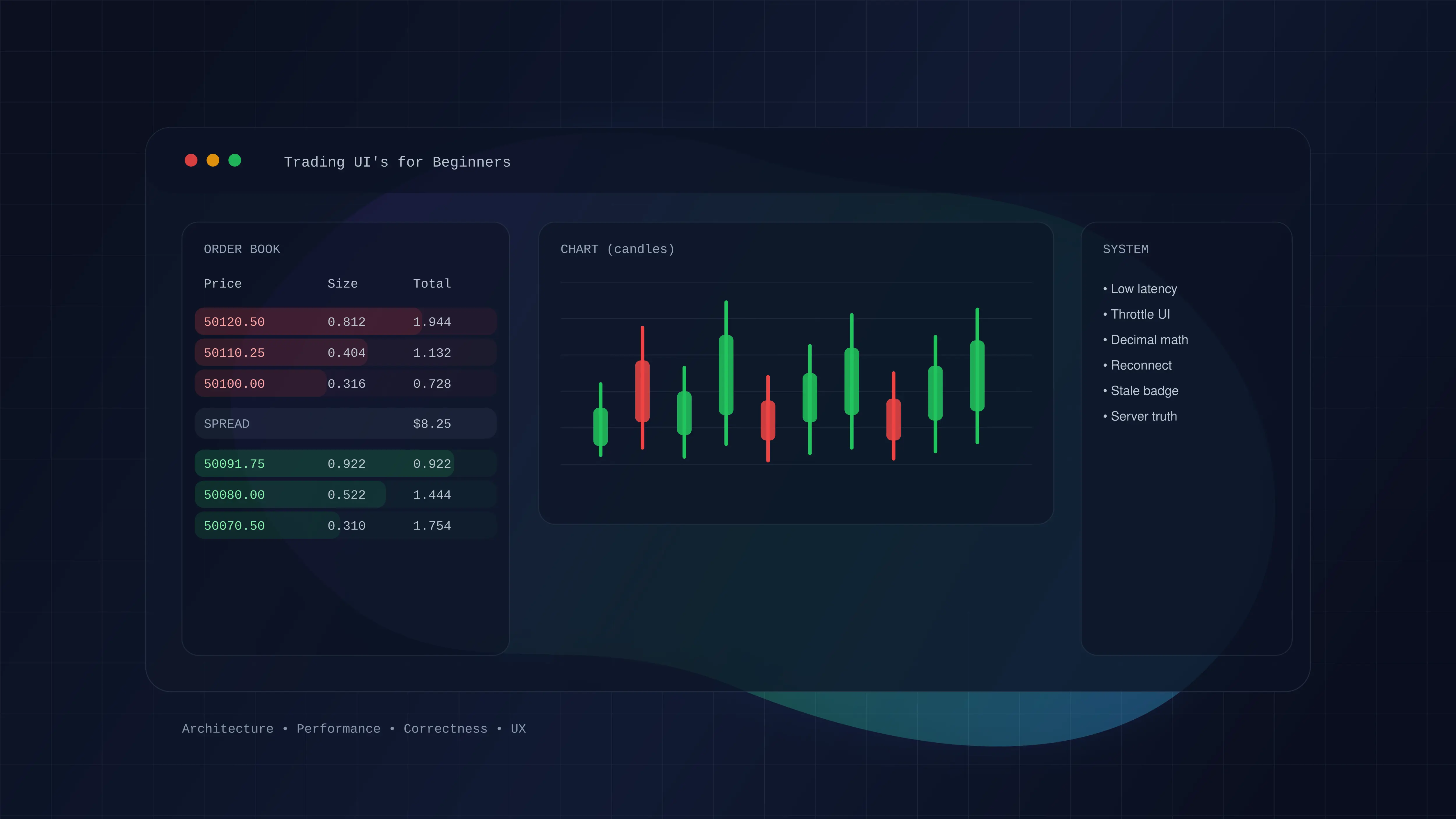
- Separate raw stream → store →selectors → components.
- Optimize for latency and stability: throttle rendering, batch updates, virtualize lists.
- Treat the backend as authoritative: optimistic UI is fine, but reconcile aggressively.
- Financial apps require precision and clear failure states (disconnects, stale data, partial books).
What makes a trading UI different?
Most apps are request/response: user clicks, app fetches, UI updates. Trading is the opposite: the world changes constantly, and the user is trying to act inside a moving stream.
- Real-time load: order books, trades, tickers, and positions update continuously.
- Correctness pressure: a rounding bug or stale state costs money (and trust).
- Perceived latency: 100ms of UI lag feels “broken”.
- Failure is normal: sockets drop, partial data arrives, and servers correct state.
The architecture you want (and why)
WebSocket/Stream (raw events)→ Normalization layer (parse/validate)→ External store (Zustand/Redux/RxJS)→ Selectors (derived state, memoized)→ React components (render only what changed)
The key move: don't put raw stream events in React state. React is great at rendering, not at absorbing high-frequency updates. You keep a fast external store, and React subscribes to tiny slices.
type Status = "connecting" | "connected" | "reconnecting" | "disconnected";class WSManager {private ws?: WebSocket;private reconnectAttempt = 0;private heartbeatTimer?: number;private lastMessageAt = 0;constructor(private url: string, private onStatus: (s: Status) => void) {}connect() {this.onStatus("connecting");this.ws = new WebSocket(this.url);this.ws.onopen = () => {this.reconnectAttempt = 0;this.onStatus("connected");this.startHeartbeat();};this.ws.onmessage = (evt) => {this.lastMessageAt = Date.now();const msg = JSON.parse(String(evt.data));if (msg.event === "pong") return;// route msg to store(s)};this.ws.onclose = () => this.reconnect();}private reconnect() {this.stopHeartbeat();this.onStatus("reconnecting");const delay = Math.min(1000 * 2 ** this.reconnectAttempt++, 30_000);setTimeout(() => this.connect(), delay);}private startHeartbeat() {this.stopHeartbeat();this.lastMessageAt = Date.now();this.heartbeatTimer = window.setInterval(() => {if (Date.now() - this.lastMessageAt > 40_000) this.reconnect();this.ws?.send(JSON.stringify({ event: "ping" }));}, 30_000);}private stopHeartbeat() {if (this.heartbeatTimer) window.clearInterval(this.heartbeatTimer);}}
// WebSocket handler (outside React)ws.on("orderbook:update", (delta) => {orderBookStore.getState().applyDelta(delta)})// Component (React)const bestBid = useOrderBookStore(s => s.bids[0])const bestAsk = useOrderBookStore(s => s.asks[0])
The mental model: your store is the “truthy model” of the market. It handles normalization (sorting, aggregation, totals). Components are just views that subscribe to tiny slices.
type Level = { price: string; qty: string };type OrderBookState = {bids: Level[]; // sorted descasks: Level[]; // sorted ascapplyDelta: (delta: { bids: Level[]; asks: Level[] }) => void;};// React should NOT subscribe to the entire store:// const state = useOrderBookStore(s => s) // ❌ too many re-renders// Prefer slices:// const bestBid = useOrderBookStore(s => s.bids[0]) // ✅
Performance: the boring details that matter
- Throttle rendering: users can't perceive 100 UI updates/sec; render at 10–20 FPS.
- Batch socket updates: apply deltas in batches (e.g. per animation frame) rather than per message.
- Virtualize lists: order book rows and trades feeds should render only visible rows.
- Minimize re-renders: selector-based subscriptions + memoized derived state.
- Mobile-first discipline: reduce shadows, avoid layout thrash, keep DOM small.
function useThrottle<T>(value: T, fps = 12) {const [v, setV] = React.useState(value);const last = React.useRef(0);const interval = 1000 / fps;React.useEffect(() => {const now = Date.now();const dueIn = Math.max(0, interval - (now - last.current));const id = window.setTimeout(() => {last.current = Date.now();setV(value);}, dueIn);return () => window.clearTimeout(id);}, [value, interval]);return v;}const bestBid = useOrderBookStore((s) => s.bids[0]);const smoothBestBid = useThrottle(bestBid, 10); // 10 FPS
Correctness: decimals, tick sizes, and “truth”
In finance, you treat numbers like data—not floats. Prices and sizes should be normalized to tick size and step size, and calculations should use decimal math (or integer base units).
- Never rely on JS floats for order totals, PnL, or fee math.
- Format consistently (e.g. always 2 decimals for price, 4 for size) to avoid “duplicate” levels like 50000 vs 50000.00.
- Backend is authoritative: optimistic UI is allowed, but you must reconcile with server confirmations.
// If your feed sometimes sends "50000" and sometimes "50000.00",// you can accidentally create duplicate levels. Normalize and format.function normalizePrice(price: string, tick = 0.01) {const p = Number(price);const snapped = Math.round(p / tick) * tick;return snapped.toFixed(2);}
UX: trust is the product
A trading UI is a trust machine. Even if the backend is perfect, users judge you by what they see.
- Show connection status and staleness(e.g. “Last update 2s ago”).
- Make pending states explicit (order submitted vs accepted vs filled vs rejected).
- Validate inputs aggressively (min size, max leverage, balance, slippage, price band).
- Prefer clarity over cleverness: consistent colors, stable columns, and readable number formatting.
function StaleBadge({ lastUpdateAt }: { lastUpdateAt: number }) {const [now, setNow] = React.useState(Date.now());React.useEffect(() => {const id = window.setInterval(() => setNow(Date.now()), 500);return () => window.clearInterval(id);}, []);const ageSec = Math.floor((now - lastUpdateAt) / 1000);const stale = ageSec >= 3;return (<span className={stale ? "text-red-400" : "text-muted-foreground"}>{stale ? "Stale (" + ageSec + "s)" : "Live (" + ageSec + "s)"}</span>);}
// 1) User clicks Buyconst tempId = crypto.randomUUID();ordersStore.add({ id: tempId, status: "pending", side: "buy", price, size });// 2) Submit to backendtry {const res = await api.placeOrder({ side: "buy", price, size });// 3) Replace pending with server ID/statusordersStore.replace(tempId, { id: res.id, status: res.status });} catch {// 4) Roll back and show errorordersStore.remove(tempId);toast.error("Order rejected");}
Failure modes you must design for
- Socket disconnects: show a banner, pause certain actions, and resync via REST snapshot.
- Out-of-order events: use sequence numbers where possible; otherwise detect drift and resnapshot.
- Partial data: you might have a ticker but no book, or positions but stale balances—handle gracefully.
// Many venues include a sequence number (seq). If you can:// - drop stale events// - detect gapslet lastSeq = 0;function onDelta(delta: { seq: number }) {if (delta.seq <= lastSeq) return; // staleif (delta.seq !== lastSeq + 1) {// gap detected → fetch snapshot and reset lastSeqreturn resyncSnapshot();}lastSeq = delta.seq;// applyDelta(delta)}
Build a single page with a mock WebSocket feed: ticker + trades + order book. Then add: throttling, reconnection, snapshot resync, and an order form with optimistic pending orders.